

Installation guide Windows 7 Professional 32 & 64 Bits
Installation files
Windows 7 Professional1 file
SYSTEM REQUIREMENTS
- 1 gigahertz (GHz) or faster 32-bit (x86) or 64-bit (x64) processor
- 1 gigabyte (GB) RAM (32 bit) or 2 GB RAM (64 bit)
- 16 GB of available hard disk space (32-bit) or 20 GB (64-bit)
- DirectX 9 graphics device with WDDM 1.0 or higher driver
WINDOWS VERSION
PLEASE NOTE THAT SERVICE PACK 1 (SP1) MUST BE INSTALLED.
Make sure your Windows version matches the Windows version of the key.
CHECK CONNECTION
Verify that you have a stable Internet connection during installation. Please follow these steps for a successful activation.
ONLINE ACTIVATION
If you already have Windows 7 PROFESSIONAL installed,try online activation 2-3 times (if successful ignore the rest)
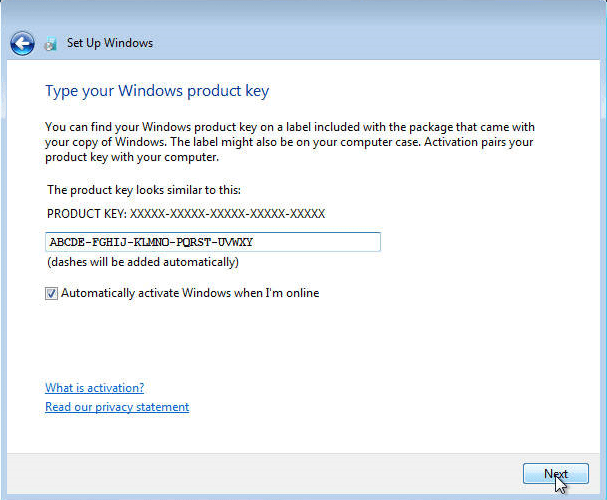
After installing the Operating System. Let’s go and right-click on My Computer and select the properties option and click on the Activate Windows option, then activate and enter the key provided.
INSTALLATION
After downloading, burn the ISO file to DVD or save it to USB. Once you boot your PC / Laptop with the DVD / Pendrive the installation program will run. Follow the guided steps of the program to complete its installation.
IF THE ONLINE ACTIVATION WAS NOT SUCCESSFUL
Activate your password by phone: to do this, select «Show other activation methods» -> «Next» -> «Automatic during Windows activation. Use the phone system ».
Choose your location and call one of the numbers shown.
- Activation through Microsoft’s central activation center:
- From the UK, please dial: 900 150 889
- Please try 2 or 3 times in case it doesn’t work right away.
- Activation computer does not always recognize input immediately
NOTE
Microsoft has gradually phased out support for some older products. Therefore, telephone activation is no longer possible. If you have any problems or questions during the Installation, please contact our 24/7 customer service.
Other guides
- Installation guide Windows Server 2022 Standard
- Installation guide Office 2010 Professional Plus 32 & 64 Bits
- Installation guide Office 2013 Professional Plus 32 & 64 Bits
- Installation guide Office 2016 Professional Plus 32 & 64 Bits
- Installation guide Office 2016 Standard 32 & 64 Bits
- Installation guide Office 2019 Professional Plus 32 & 64 Bits
- Installation guide Office 2019 Standard 32 & 64 Bits
- Installation guide Office 2021 Standard -32 & 64 Bits
- Installation guide Office 2024 Professional Plus
- Installation guide Office 2024 Standard
- Installation guide Office 2021 Professional Plus
- Installation guide Project 2016 Professional 32 & 64 Bits
- Installation guide Project 2019 Professional 32 & 64 Bits
- Installation guide Project 2021 Professional 32 & 64 Bits
- Installation guide Visio 2016 Professional 32 & 64 Bits
- Installation guide Visio 2019 Professional 32 & 64 Bits
- Installation guide Windows 10 Professional
- Installation guide Windows 11 Professional