

Installation guide Project 2016 Professional 32 & 64 Bits
Installation files
Project 2016 Professional2 files
SYSTEM REQUIREMENTS
- 1 gigahertz (GHz) or faster 32-bit (x86) or 64-bit (x64) processor
- 1 gigabyte (GB) RAM (32 bit) or 4 GB RAM (64 bit)
- 4 GB of available hard disk space
- DirectX 9 graphics device with WDDM 1.0 or higher driver
LICENSE AND ACTIVATION
Remember, the key you have purchased is a prepaid code that is not compatible with the pre-installed software. This is an original Microsoft product. Uninstall the previous version of Office that you have on your PC and restart your computer. This is important to avoid compatibility problems.
MOUNT AND INSTALL
MOUNT AND INSTALL
Once the download is complete, right click on the downloaded file and choose the “Mount” option from the dropdown menu
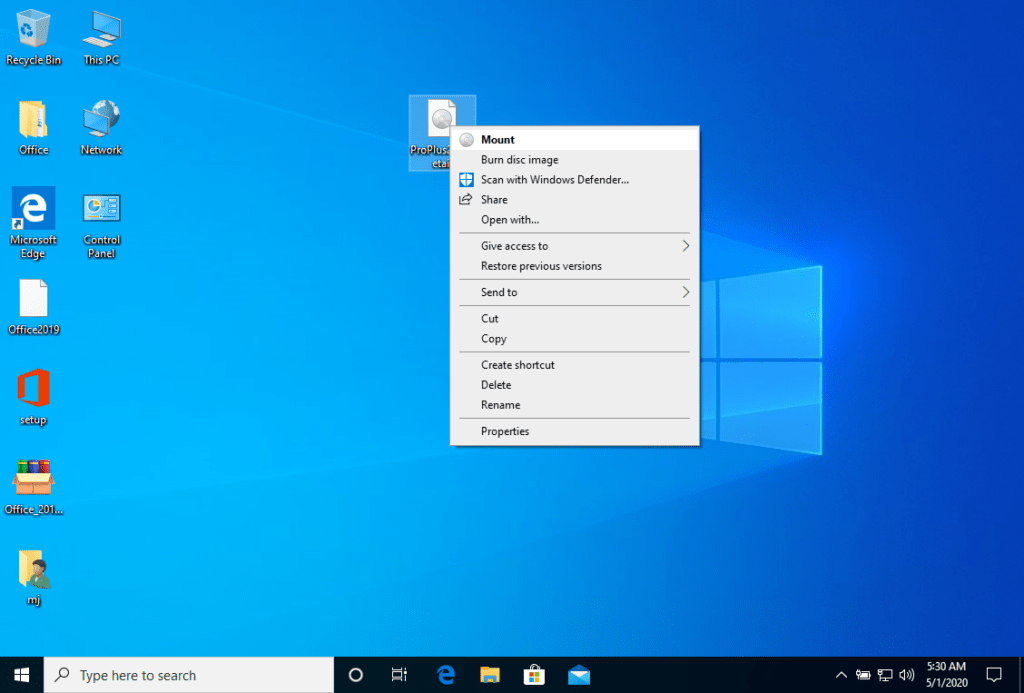
After the ISO file that you downloaded is mounted, you can access it from your Computer as a DVD drive. Here you can run the installer.
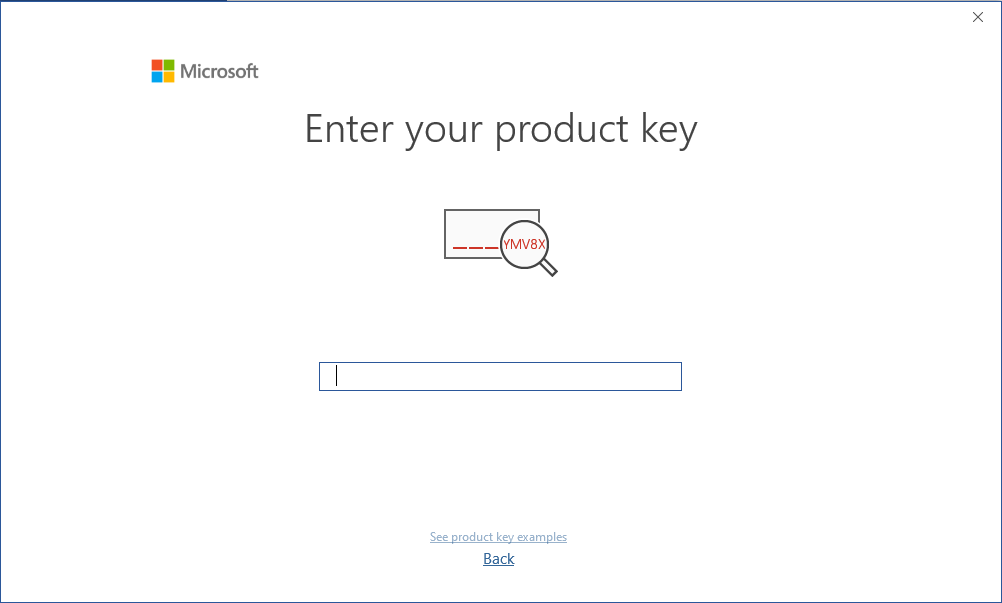
Complete the program installation and enter the “activation key” during or at the end of the process.
Once the download is complete and the installation of the program is complete, enter the activation key when running any application from the Microsoft Office package, it will be the first thing that will ask you.
PROGRAM TO ASSEMBLE ISO FILE
The mounted image should appear on your Computer. If this does not appear (AS IN WINDOWS 7) you must use an alternative program to mount the product image, such as WinCDEmu which can be downloaded from the following link:
WinCDEmu
Use this program to create a virtual disk so that you can install your program
NOTE
Microsoft has gradually phased out support for some older products. Therefore, telephone activation is no longer possible. If you have any problems or questions during the Installation, please contact our 24/7 customer service.
Other guides
- Installation guide Windows Server 2022 Standard
- Installation guide Office 2010 Professional Plus 32 & 64 Bits
- Installation guide Office 2013 Professional Plus 32 & 64 Bits
- Installation guide Office 2016 Professional Plus 32 & 64 Bits
- Installation guide Office 2016 Standard 32 & 64 Bits
- Installation guide Office 2019 Professional Plus 32 & 64 Bits
- Installation guide Office 2019 Standard 32 & 64 Bits
- Installation guide Office 2021 Standard -32 & 64 Bits
- Installation guide Office 2024 Professional Plus
- Installation guide Office 2024 Standard
- Installation guide Office 2021 Professional Plus
- Installation guide Project 2019 Professional 32 & 64 Bits
- Installation guide Project 2021 Professional 32 & 64 Bits
- Installation guide Visio 2016 Professional 32 & 64 Bits
- Installation guide Visio 2019 Professional 32 & 64 Bits
- Installation guide Windows 10 Professional
- Installation guide Windows 11 Professional
- Installation guide Windows 7 Professional 32 & 64 Bits